> For the complete documentation index, see [llms.txt](https://scansuite.gitbook.io/scansuite/llms.txt). Markdown versions of documentation pages are available by appending `.md` to page URLs; this page is available as [Markdown](https://scansuite.gitbook.io/scansuite/usage/infrastructure-checks.md).
# Infrastructure Checks
ScanSuite supports several infrastructure scan types:
***
**Vulnerability Scan**
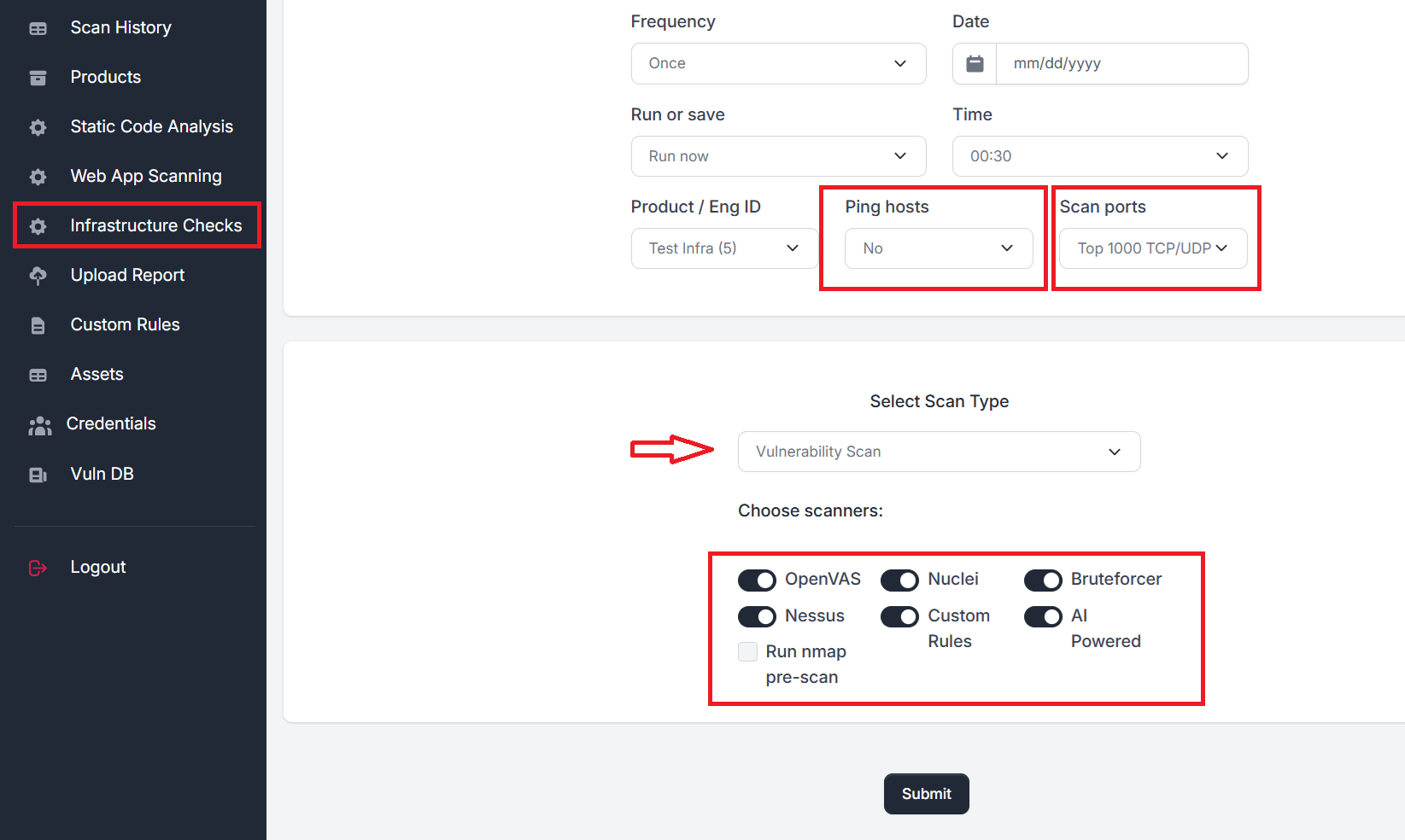
This scan identifies open ports, running services, and related vulnerabilities across specified IPs or hostnames. The following scanners are supported:
* **OpenVAS**\
Popular vulnerability scanner. Must be installed separately (refer to the *Administration* section).
* **Nessus**\
Commercial vulnerability scanner. Also requires separate installation.
* **Nuclei**\
Widely-used vulnerability scanner. Included by default with the standard ScanSuite installation.
* **Custom Rules**\
Executes rules created via the **Custom Rules** menu.
* **Bruteforcer**\
Performs enumeration of known network services (FTP, SSH, SMB etc) and attempts the bruteforce using credentials from Credentials tab and popular username/password pairs.
**Configuration Notes:**
* Define scan targets and frequency.
* Optionally schedule scans.
* Choose whether to ping hosts before scanning ports.\
*(Recommended for internal scans to save time when scanning large subnets.)*
* Pick the scanning ports presets or provide own list via Custom scan ports option.
***
**Network Discovery**
Performs live hosts and open ports discovery**.** Supports ping hosts pre-checks and scan port presets:
***
**Local Patching Checks**
Checks for local OS patches over:
* **SSH (TCP 22)** for Linux
* **SMB/WMI (TCP 445, 139)** for Windows
**Supported Target Formats:**\
Hostnames, IP addresses, subnets, and ranges.
**Supported Linux Distributions:**
* Ubuntu: 16.04 to 24.04
* Red Hat: 7 to 9
* Debian: 9 to 12
**Scanning Tools Used:**
* **OpenVAS**: Supports authentication via username/password or username/SSH key pair.
* **Vuls**: Supports only username/SSH key pair.
**Important:** Ensure you have the respective credentials provided via Settings menu.
**OpenVAS** patching scan results are uploaded to Defect Dojo automatically.
Results of **Vuls** scanner patching checks are not uploaded to Defect Dojo, but saved in individual XLSX files for each host, available to download via the **Report** button.
***
**Domains OSINT**
Performs reconnaissance on specified domains, discovering:
* Subdomains
* Active hosts
* Leaked email addresses
* Compromised credentials *(requires Dehashed.com API key)*
* Host service and vulnerability data *(requires Shodan.io API key)*
**Input Format:**\
List of domains (comma-separated or newline-separated), e.g.,\
`example.com, another.org`
**Output:**
* Subdomains and associated data: Available via the **Report** button.
* Discovered email addresses and credentials: Accessible in the **Credentials** tab.
**Important:** Ensure you have the Shodan and Dehashed API keys provided via Settings menu.
***
**Docker Image Scan**
Scans Docker images for known vulnerabilities in local packages.
**Usage Instructions:**
* Provide the full path to the image in the Docker registry.\
*Example:* `public.ecr.aws/portswigger/dastardly:latest`
* The image will be downloaded and analyzed by the scanner.
**Note:**\
Docker Registry authentication is currently **not supported**. Only **public images** can be scanned remotely or should be pre-loaded on the ScanSuite worker node.